Overview
Streamline Customer Communications with Automated Email and SMS Messages
Automations help you maintain consistent, timely communication with your customers without manual effort. Set up automated emails and text messages for key customer touchpoints throughout the booking journey—from confirmations to reminders, reviews to refunds, ensuring no customer interaction is missed.
Overview
The Automations page serves as your central hub for managing all automated customer communications. By configuring these automations, you can:
- Send timely confirmations when bookings are created
- Remind customers about upcoming appointments
- Request reviews after completed bookings
- Notify customers about cancellations or refunds
- Recover abandoned bookings with cart reminders
- Welcome new customers with introduction emails
- Send waiver forms automatically
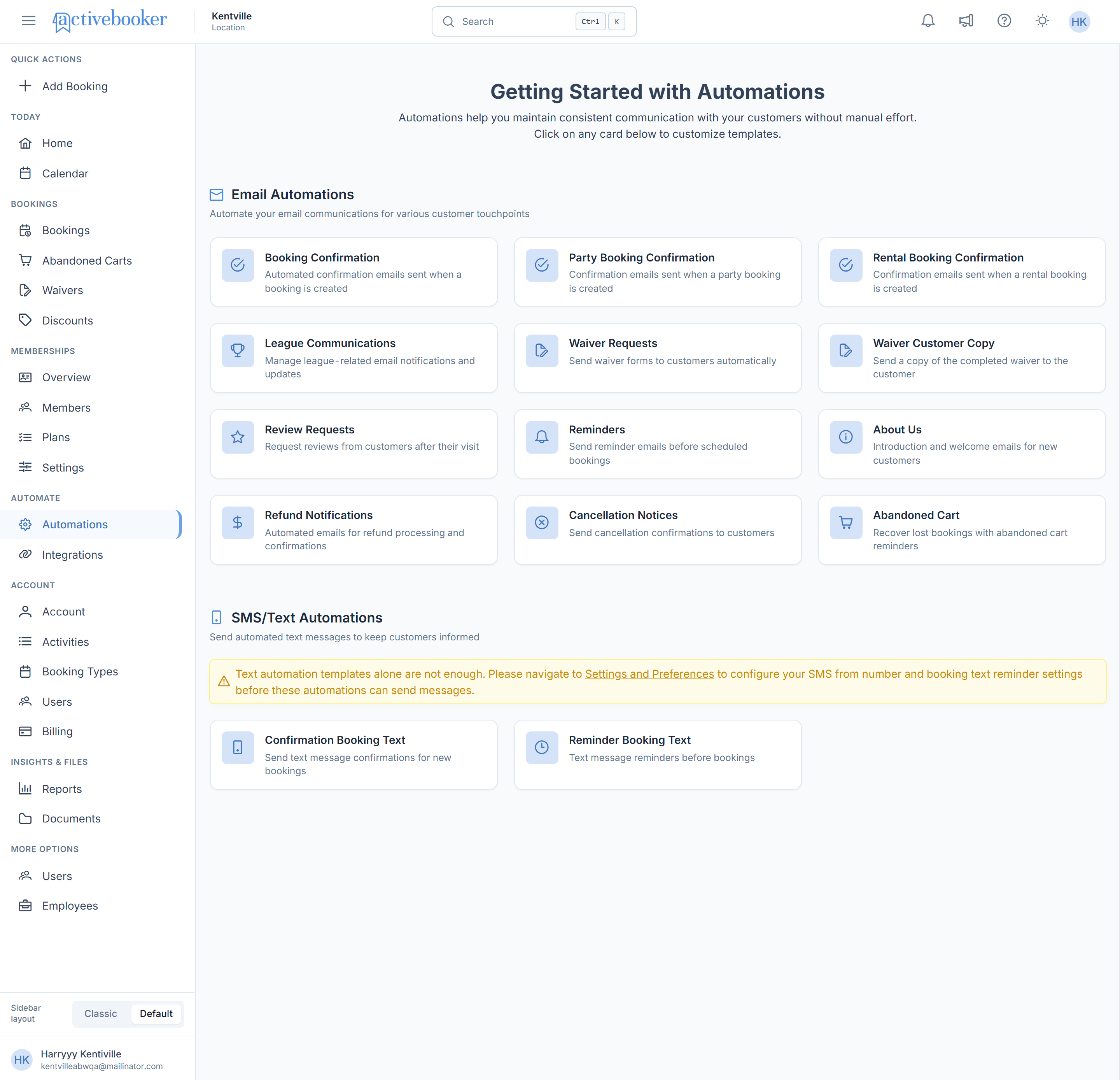
Getting Started with Automations
Automations are organized into two main categories:
- Email Automations: Automate email communications for various customer touchpoints
- SMS/Text Automations: Send automated text messages to keep customers informed
Each automation type appears as a card on the main page. Clicking an email automation card takes you to a dedicated editor page where you can customize the template using a rich-text editor. Clicking an SMS/text automation card opens a quick-edit popup.
Start with the most critical automations first: Booking Confirmation and Reminders. These ensure customers always receive essential information about their appointments.
Email Automations
Email Automations allow you to automatically send emails to customers at specific points in their booking journey.
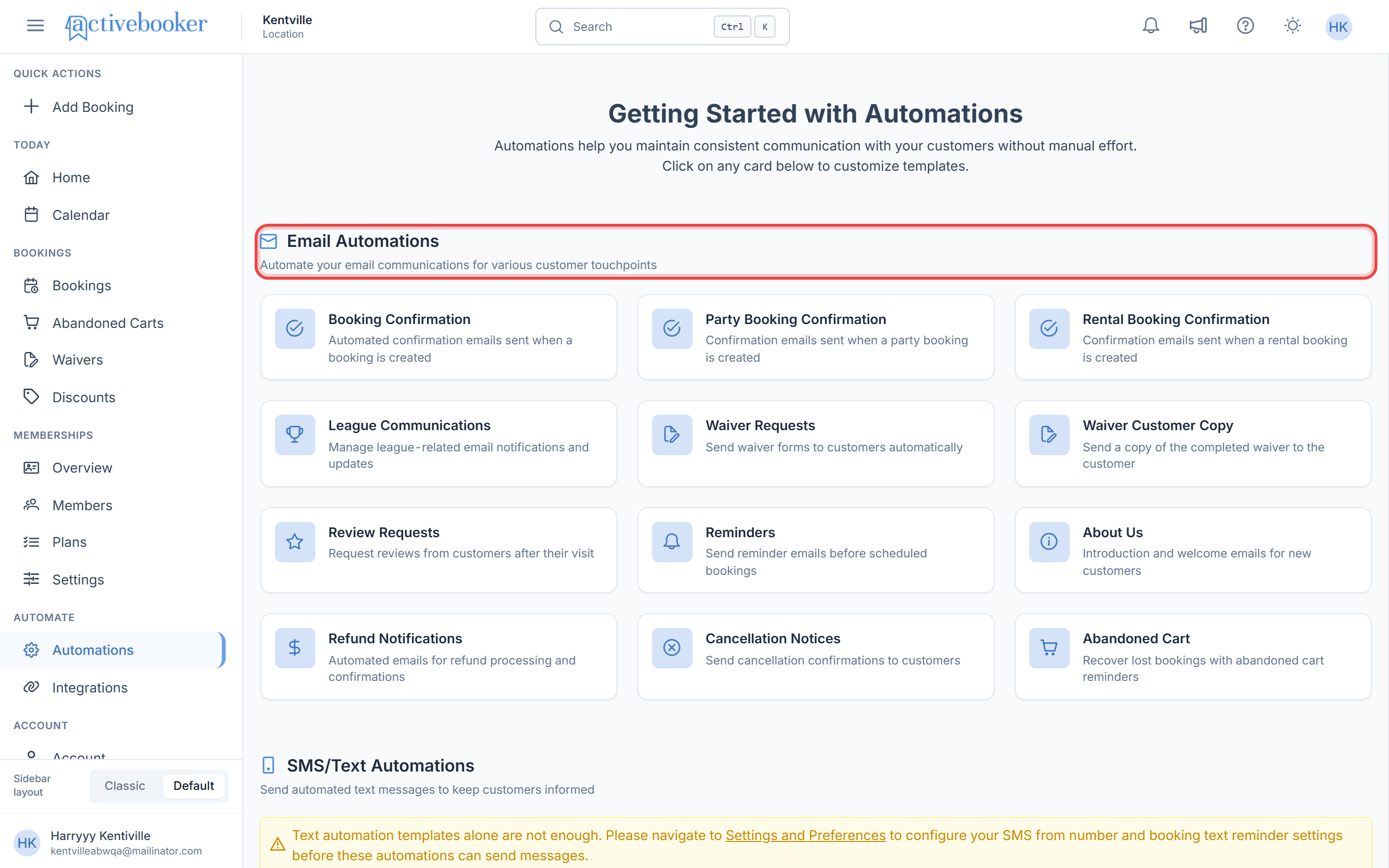
Available Email Automations
Booking Confirmation
Purpose: Automated confirmation emails sent when a standard booking is created
When It Sends: Immediately after a customer completes a booking
Use Case: Provides customers with immediate confirmation and peace of mind that their booking was successful.
Party Booking Confirmation
Purpose: Confirmation emails sent when a party booking is created
When It Sends: Immediately after a party booking is completed
Use Case: Gives party organizers instant confirmation with booking details specific to their event.
Rental Booking Confirmation
Purpose: Confirmation emails sent when a rental booking is created
When It Sends: Immediately after a rental booking is completed
Use Case: Provides rental customers with immediate confirmation and all relevant booking details.
League Communications
Purpose: Manage league-related email notifications and updates
When It Sends: Based on league schedules and events
Use Case: Keep league participants informed about schedules, changes, and important league information.
Waiver Requests
Purpose: Send waiver forms to customers automatically
When It Sends: After booking creation or at a specified time before the appointment
Use Case: Ensure all required waivers are completed before customers arrive, streamlining check-in and ensuring legal compliance.
Waiver Customer Copy
Purpose: Send a copy of the completed waiver to the customer for their records
When It Sends: After the customer completes and submits their waiver
Use Case: Provides customers with their own copy of the signed waiver, building trust and fulfilling any record-keeping expectations.
Review Requests
Purpose: Request reviews from customers after their visit
When It Sends: After the booking is completed (configurable delay, e.g., 24 hours after appointment)
Use Case: Gather customer feedback and build your online reputation through reviews.
Reminders
Purpose: Send reminder emails before scheduled bookings
When It Sends: At a configured time before the appointment (e.g., 24 hours, 1 hour before)
Use Case: Reduce no-shows by reminding customers about their upcoming appointments.
About Us
Purpose: Introduction and welcome emails for new customers
When It Sends: After first booking or account creation
Use Case: Welcome new customers and introduce them to your business, building relationships from the start.
Refund Notifications
Purpose: Automated emails for refund processing and confirmations
When It Sends: When a refund is initiated or processed
Use Case: Keep customers informed about refund status, reducing support inquiries and building trust.
Cancellation Notices
Purpose: Send cancellation confirmations to customers
When It Sends: When a booking is cancelled (by customer or staff)
Use Case: Provide clear confirmation when bookings are cancelled, avoiding confusion and disputes.
Abandoned Cart
Purpose: Recover lost bookings with abandoned cart reminders
When It Sends: When a customer starts but doesn't complete the booking process (configurable delay)
Use Case: Recover revenue from customers who started but didn't finish the booking process, increasing conversion rates.
SMS/Text Automations
SMS/Text Automations allow you to send automated text messages to customers' mobile phones for time-sensitive communications.
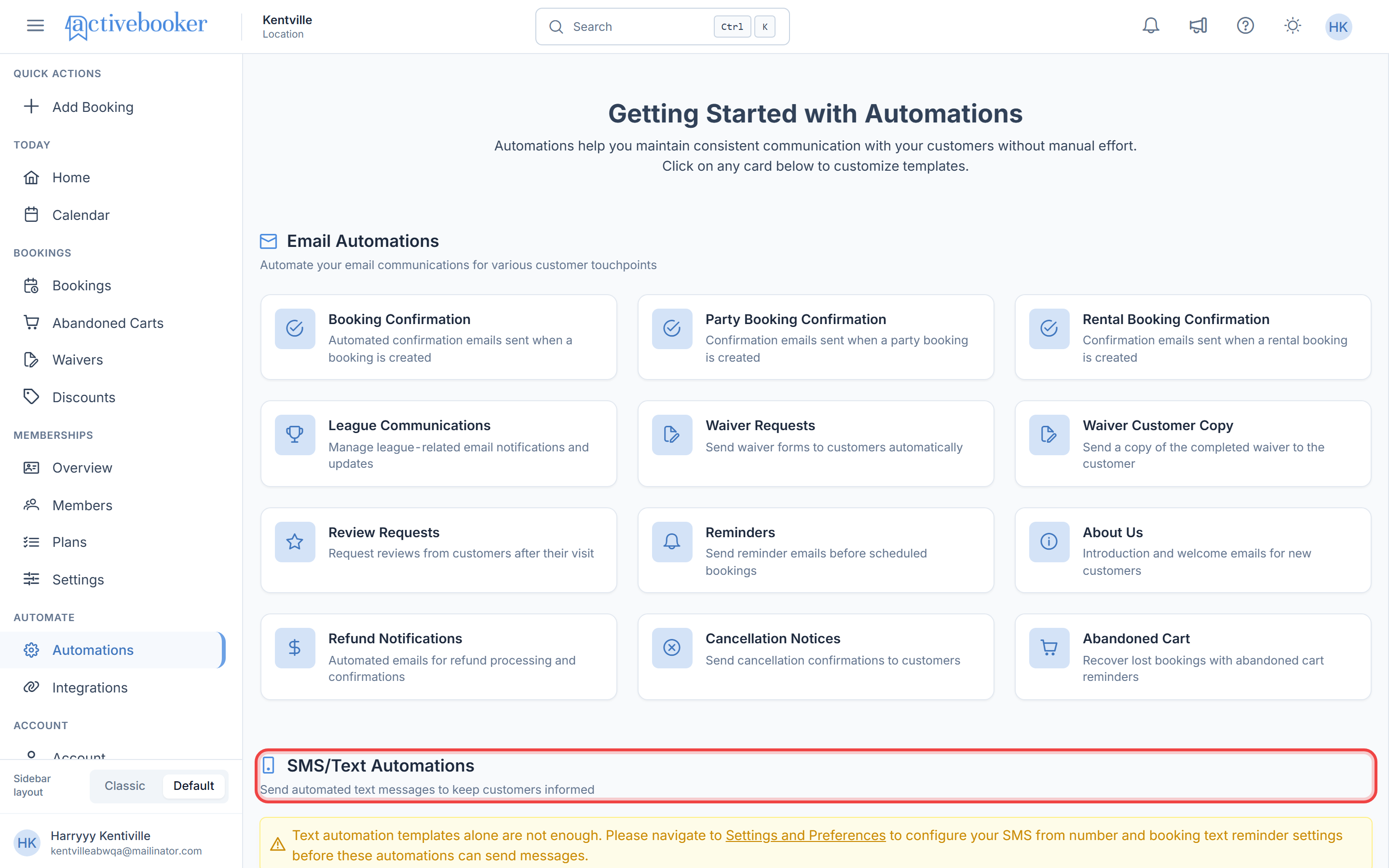
Before SMS automations can send messages, you must configure your SMS provider settings. Navigate to Text Integration in Integration Settings to set up your SMS provider before enabling text automations.
Prerequisites for SMS Automations
To use SMS/Text Automations, you need:
- SMS Provider Configuration: Set up your SMS provider in Integration Settings
- Feature Subscription: SMS features may require a specific subscription plan
- Customer Phone Numbers: Customers must provide valid mobile phone numbers during booking
Available SMS Automations
Confirmation Booking Text
Purpose: Send text message confirmations for new bookings
When It Sends: Immediately after a booking is created
Character Limit: Optimized for standard SMS length (160 characters recommended)
Use Case: Provide instant confirmation via text message, which customers are more likely to see immediately than email.
Reminder Booking Text
Purpose: Text message reminders before bookings
When It Sends: At configured time before appointment (e.g., 24 hours, 1 hour before)
Character Limit: Optimized for standard SMS length (160 characters recommended)
Use Case: Reduce no-shows with timely text reminders that customers can quickly read on their phones.
Feature Availability and Subscriptions
Some automation features may require specific subscription plans or feature add-ons.
Checking Feature Availability
If you see a "Feature Subscription Required" message instead of automation cards:
- Your current plan doesn't include that automation feature
- You'll need to upgrade your subscription to access it
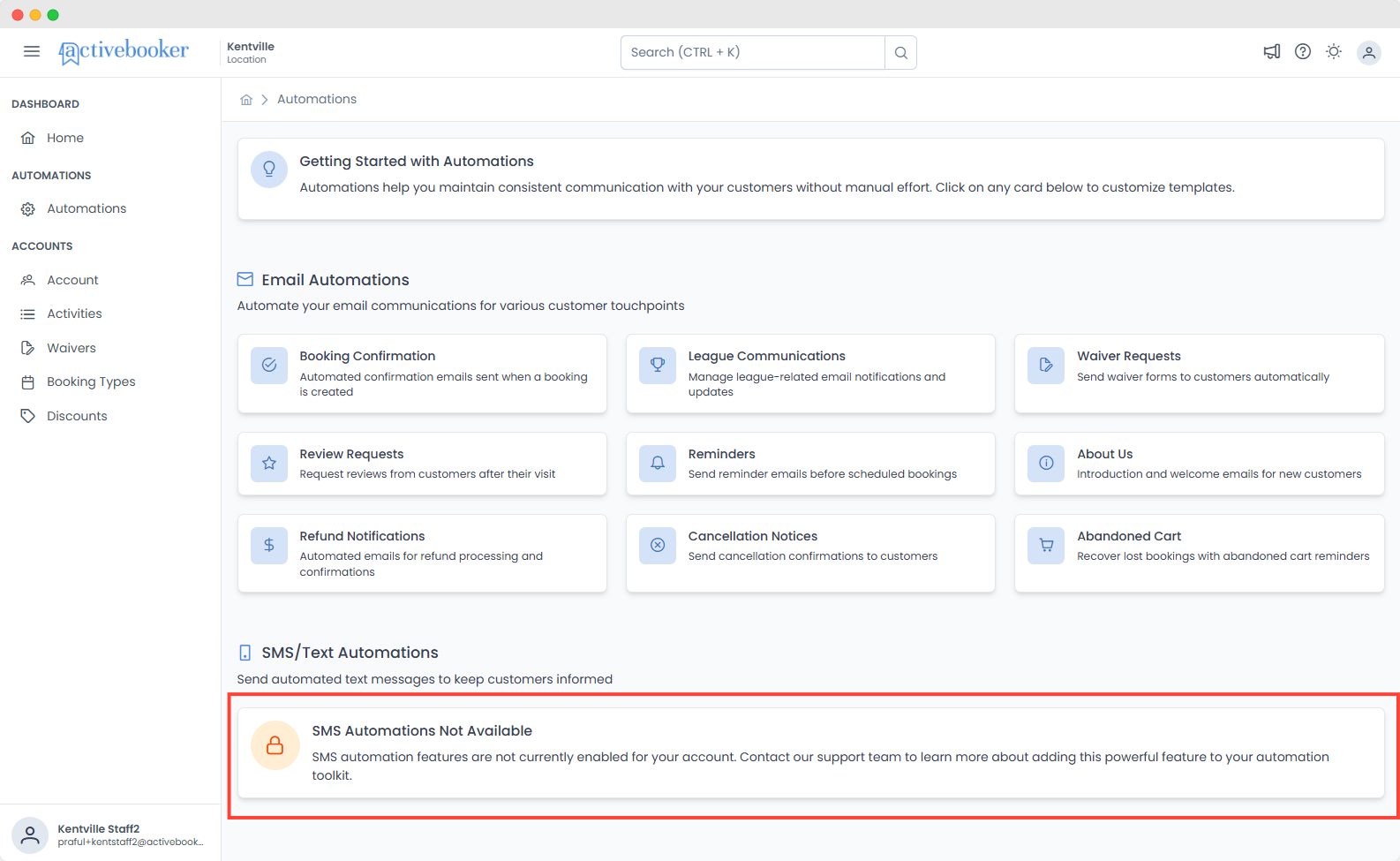
Available automation features vary by subscription plan. Check your account plan details to see which features are included.
Related Documentation
See Also
Related documentation to help you manage customer communications: