Integrations
Overview
The Integrations page in ActiveBooker allows you to connect trusted third-party tools to enhance your booking experience. By using integrations, you can automate communication, streamline workflows, and accept secure online payments—all from one central place.
This guide explains what integrations are available, how to recognize their status, and what you can do with each integration.
How to Access Integrations
- Log in to your ActiveBooker Dashboard.
- From the left-hand navigation menu, click Integrations.
- You will be taken to the Integrations page, where all available integrations are displayed.
Understanding the Integrations Page
The Integrations page is divided into two main sections:
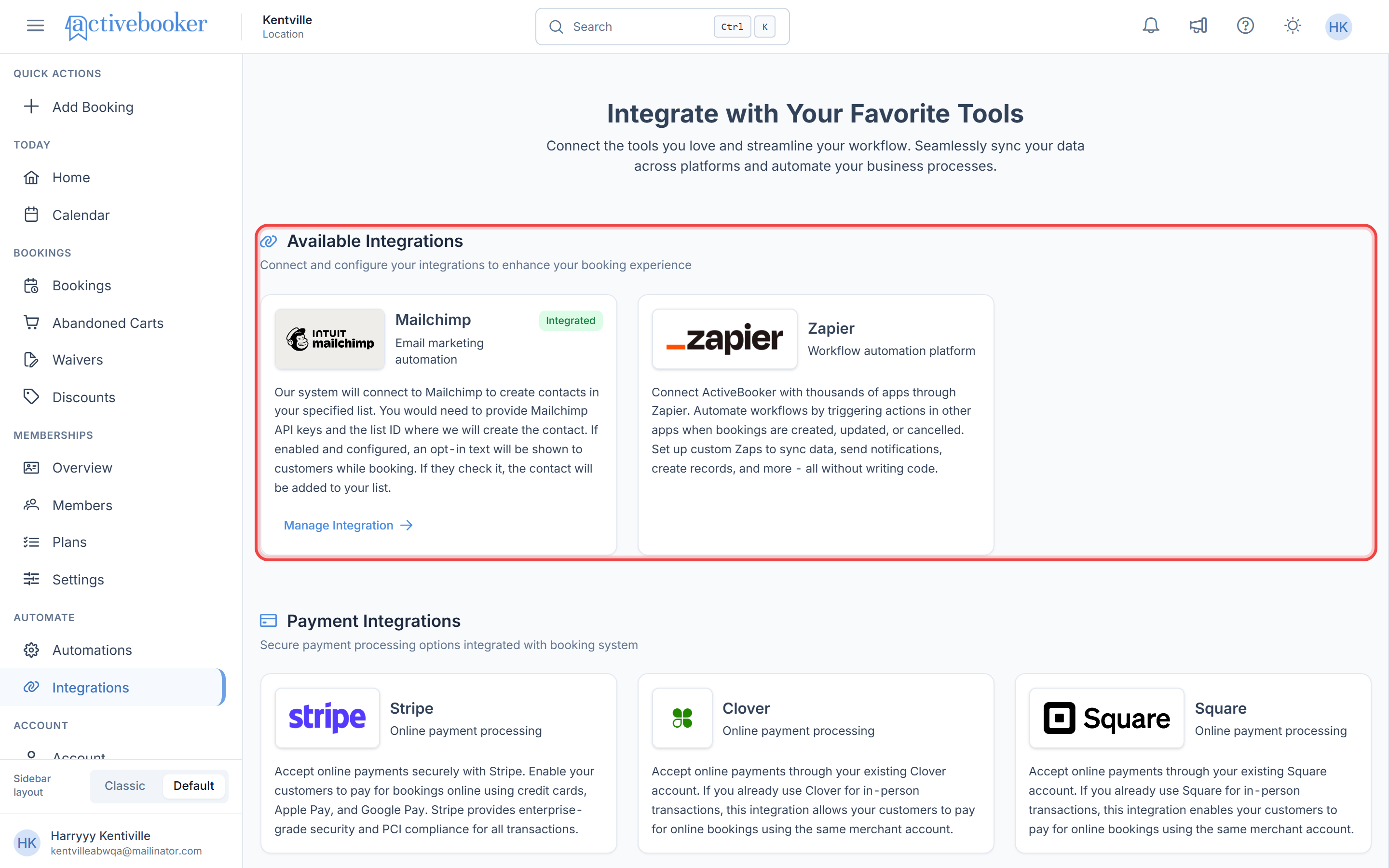
Available Integrations
This section displays tools that help with marketing and workflow automation.
Each integration is shown as a card that includes:
- The integration logo and name
- A short description of what the integration does
- An action link such as Manage Integration
- An Integrated badge (shown only if the integration is already connected)
Payment Integrations
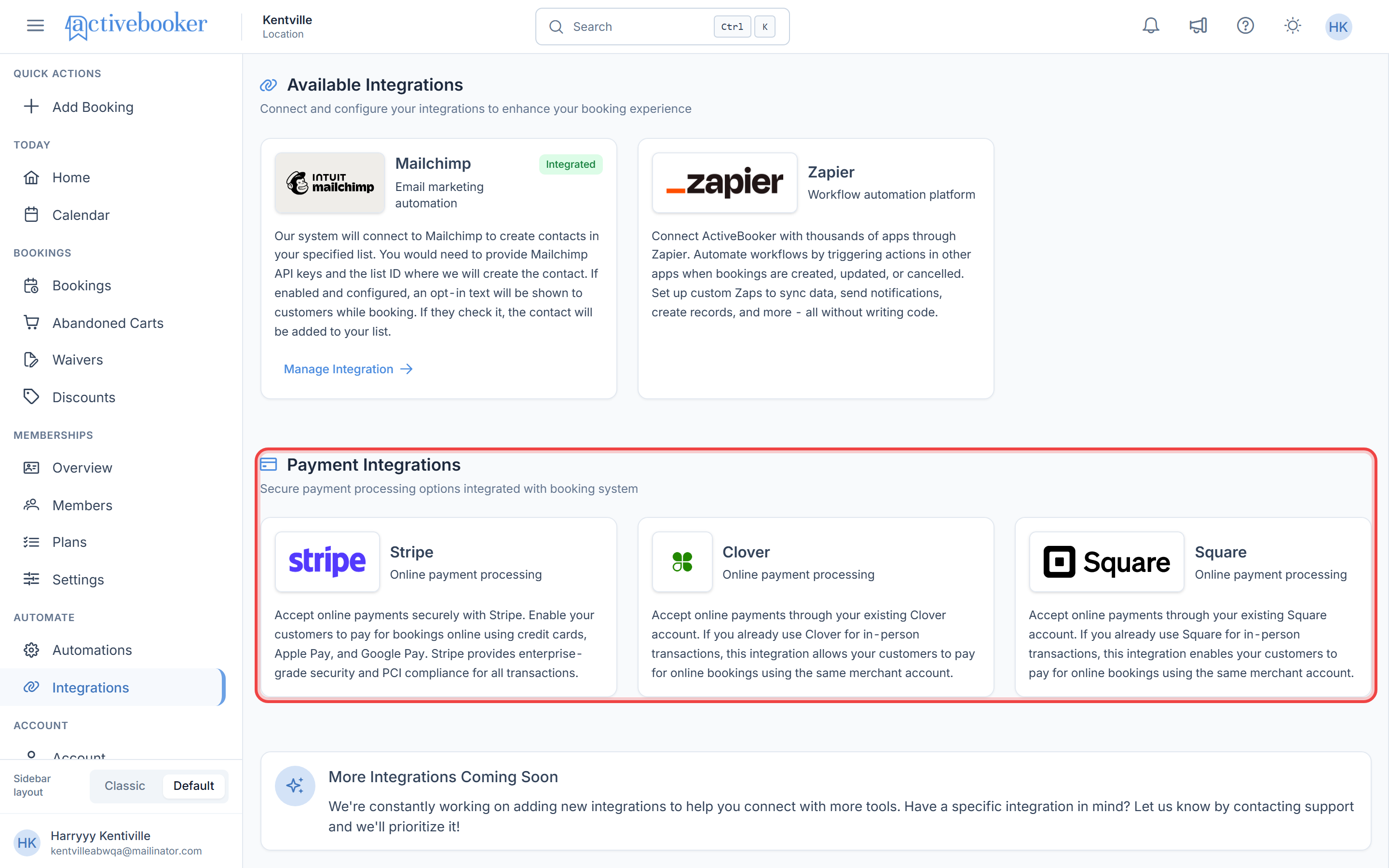
This section displays supported online payment providers that allow customers to pay during the booking process.
Each payment integration card shows:
- Payment provider name and logo
- A brief description of payment capabilities
- Support for online payments using an existing merchant account
Integration Status Explained
Integrated Badge
An Integrated badge indicates that the integration is successfully connected and actively working with your ActiveBooker account.
- No additional setup is required unless you want to update settings
- Data will automatically sync based on the integration’s capabilities
If an integration is not connected, the badge will not appear.
Available Integrations
Mailchimp – Email Marketing
Mailchimp helps you manage customer communication by automatically syncing booking and customer details from ActiveBooker into your Mailchimp audience.
What you can do with Mailchimp:
- Automatically add customers to your Mailchimp contact list
- Organize audiences based on customer and booking data
- Send targeted email campaigns
- Track campaign performance using Mailchimp analytics
When Mailchimp is connected, customers may see an opt-in option during booking, allowing them to subscribe to your mailing list.
Zapier – Workflow Automation
Zapier allows you to connect ActiveBooker with thousands of apps to automate everyday tasks—no technical knowledge required.
What you can do with Zapier:
- Automatically trigger actions when bookings are created, updated, or cancelled
- Sync booking data with tools such as spreadsheets, CRMs, and communication apps
- Reduce manual work by creating automated workflows (Zaps)
Zapier works in the background once connected and does not affect existing bookings.
RemoteLock – Door Access
RemoteLock connects ActiveBooker to your smart locks, so every booking gets its own door code.
What you can do with RemoteLock:
- Give each booking a PIN that opens only the booked room, lane or bay, plus any shared doors
- Email the code to the guest automatically
- Keep codes in step with bookings: moving a booking issues a new code, cancelling removes it
- See each code's status on the booking detail page
See Set up RemoteLock to get started.
Payment Integrations
Payment integrations enable you to securely accept online payments as part of the booking process.
Stripe
- Accept payments using credit cards, Apple Pay, and Google Pay
- Secure, PCI-compliant payment processing
- Ideal for online-first payment workflows
Clover
- Use your existing Clover merchant account
- Accept payments for online bookings
- Unified experience for online and in-person payments
Square
- Connect your existing Square account
- Enable customers to pay online during booking
- Consistent payment handling across online and in-person transactions
All payment integrations follow industry-standard security practices to keep transactions safe.
Managing Your Integrations
Viewing Connected Integrations
On the Integrations page:
- Connected integrations display an Integrated badge
- You can quickly identify which tools are currently active
On the integration details page:
- The connection status is clearly shown at the top
- You can manage or update the integration settings as needed
Getting Started Tips
- New to ActiveBooker? Start by connecting a payment integration to accept online bookings.
- Use Mailchimp to keep customers informed and engaged automatically.
- Use Zapier to save time by automating repetitive tasks across your tools.