Membership Management
Comprehensive tools to manage your members, organize categories, create flexible plans, and configure preferences. Everything you need to build and maintain a thriving membership community.
What You Can Do
The membership system provides powerful tools to grow and manage your membership-based business:
- Track your community — View real-time statistics showing total members, categories, and plans at a glance
- Organize offerings — Group similar membership options into categories for easy navigation
- Design flexible plans — Create membership plans with custom pricing, durations, and billing options
- Manage members efficiently — Add members, track their status, view detailed profiles, and monitor activity
- Configure preferences — Customize membership settings, notification preferences, and system-wide options
When Membership Feature Is Not Enabled
If the membership feature has not been assigned to your location, navigating to Memberships displays the "Unlock Membership Management" landing page instead of the dashboard.
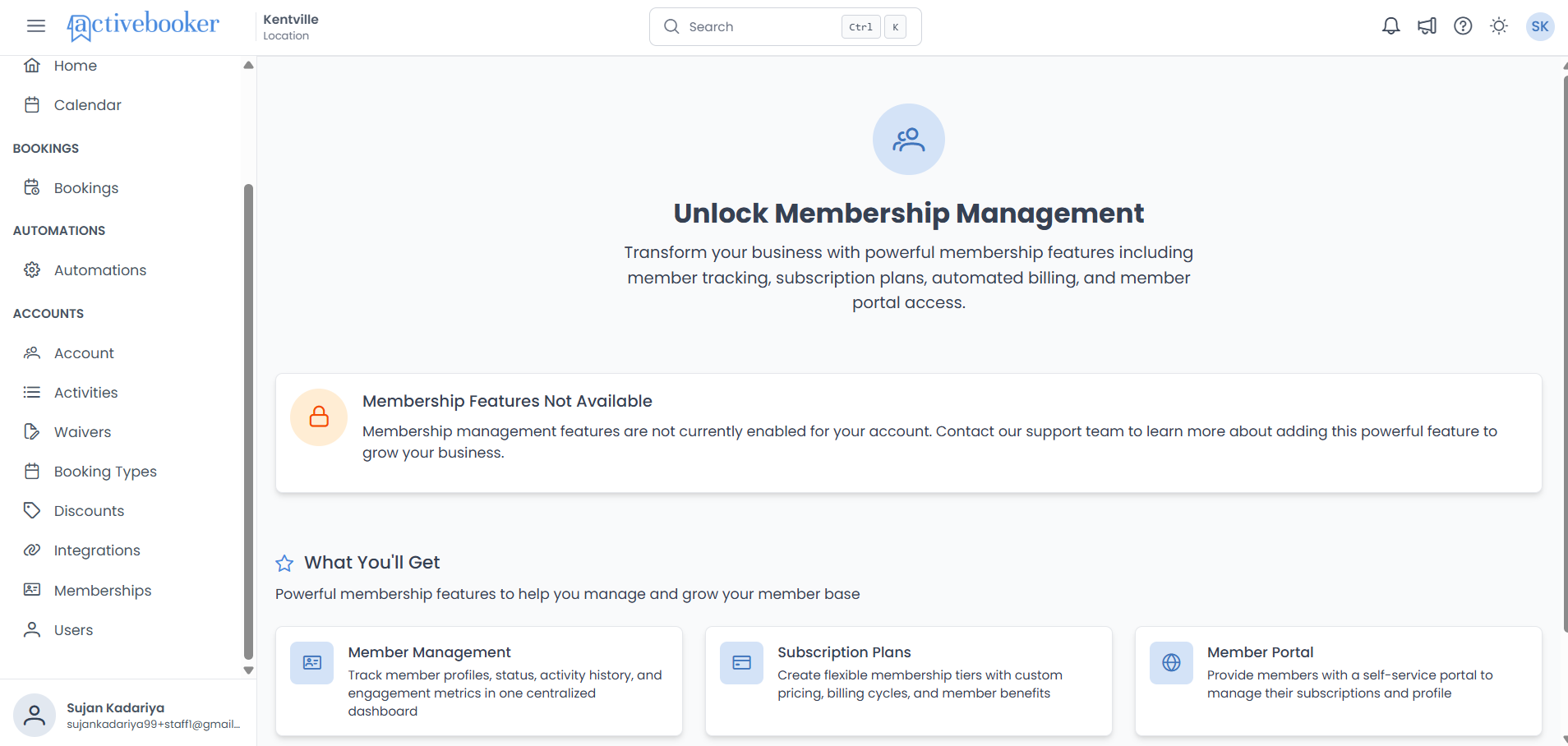
This page includes:
- A heading: "Unlock Membership Management"
- A description explaining the available membership capabilities
- An alert banner: "Membership Features Not Available" — with a message to contact support for enabling the feature
- A "What You'll Get" section with four feature cards: Member Management, Subscription Plans, Member Portal, and Automated Billing
To enable the feature: Membership Management is a premium feature that requires a subscription. Please contact our support team or upgrade your plan to unlock full membership capabilities for your location.
Understanding the Membership Dashboard
When the membership feature is enabled and you navigate to the Membership Management area, you'll see the dashboard with:
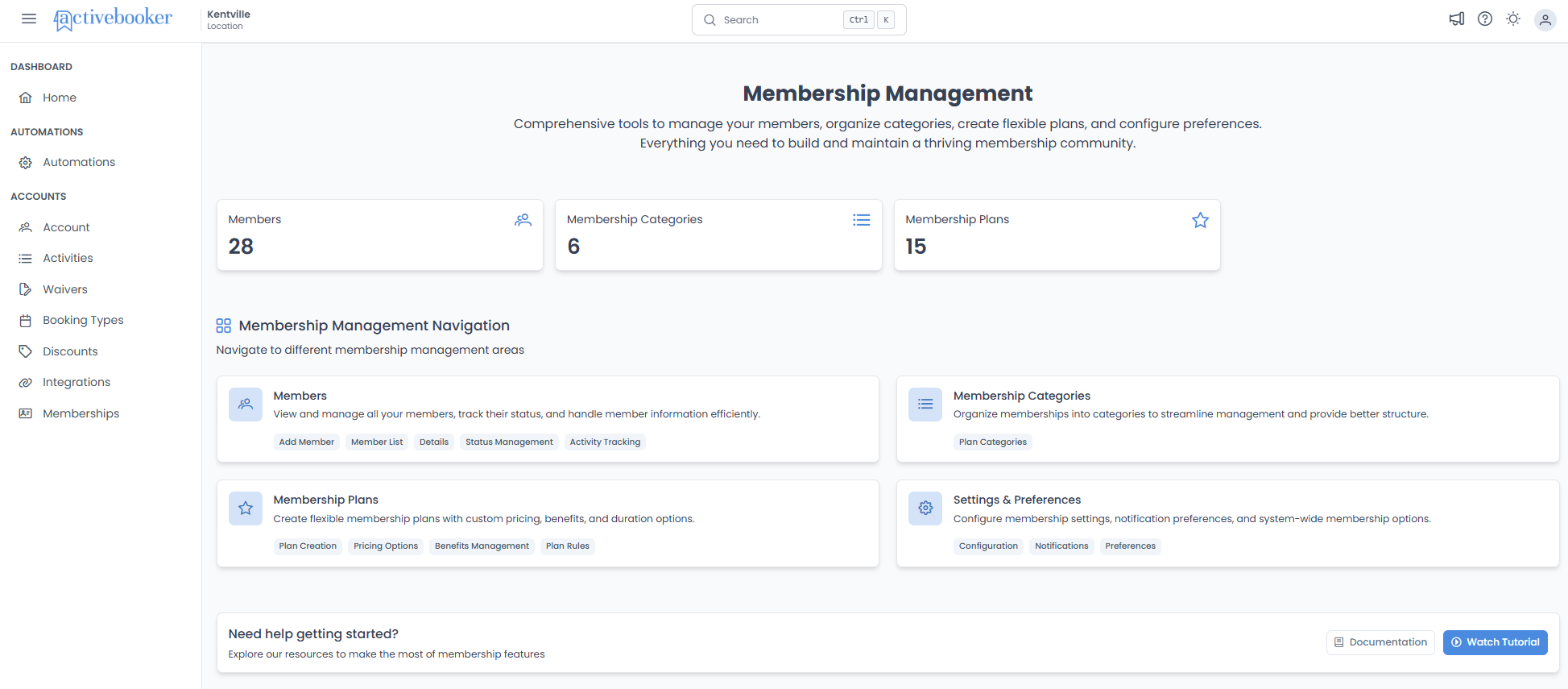
Quick Statistics
Three key metrics displayed prominently at the top:
- Members — Total number of members in your system
- Membership Categories — Number of category groupings you've created
- Membership Plans — Total membership plans available
These statistics update in real-time and provide a quick snapshot of your membership community's size and structure.
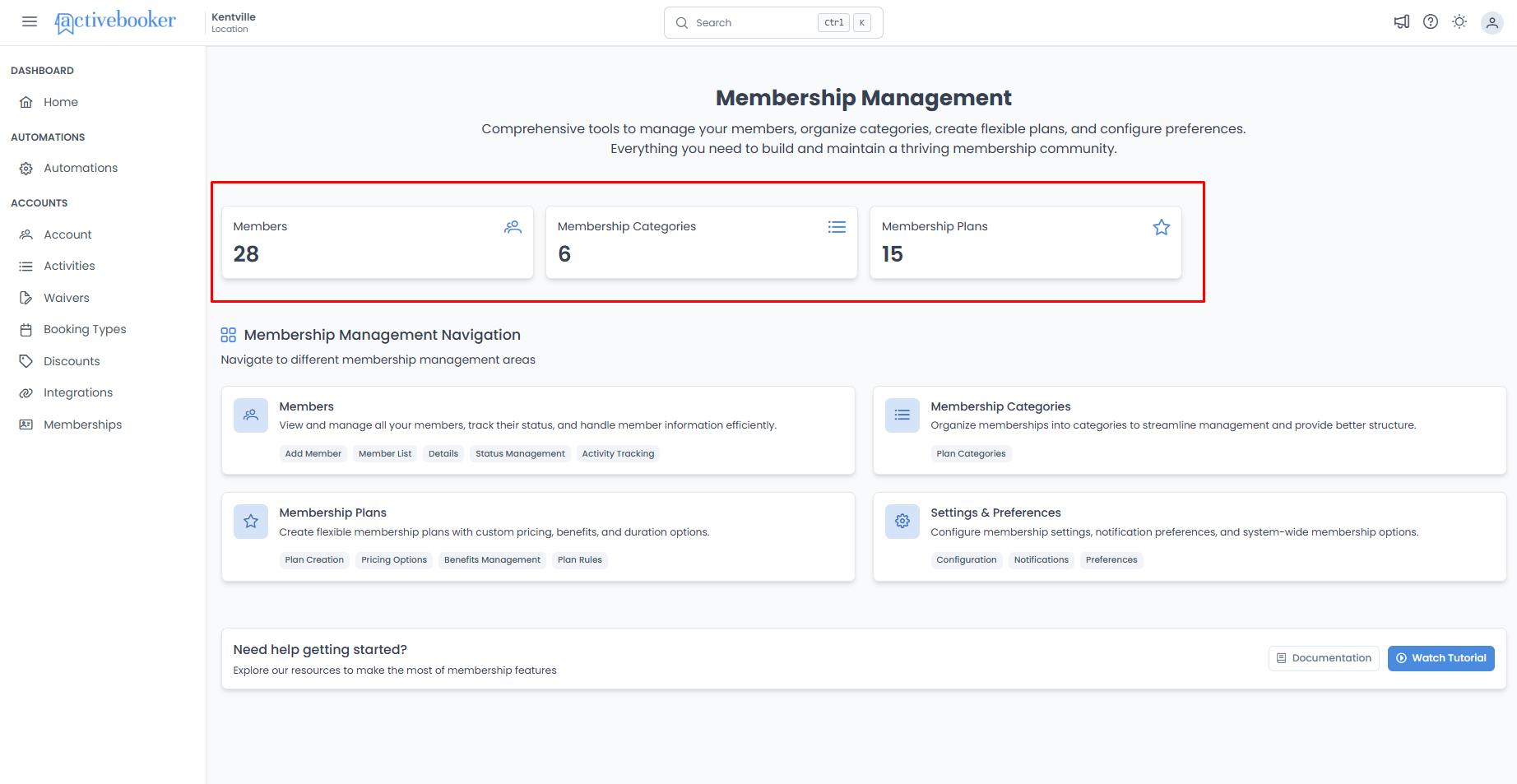
Navigation Sections
Four main areas to manage different aspects of your membership system:
| Section | What It Manages | Key Features |
|---|---|---|
| Members | View and manage all member accounts | Add Member, Member List, Details, Status Management, Activity Tracking |
| Membership Categories | Organize plans into logical groups | Plan Categories |
| Membership Plans | Create and configure membership offerings | Plan Creation, Pricing Options, Benefits Management, Plan Rules |
| Settings & Preferences | System-wide membership configuration | Configuration, Notifications, Preferences |
Each section is designed to handle specific tasks, keeping your workflow organized and efficient.
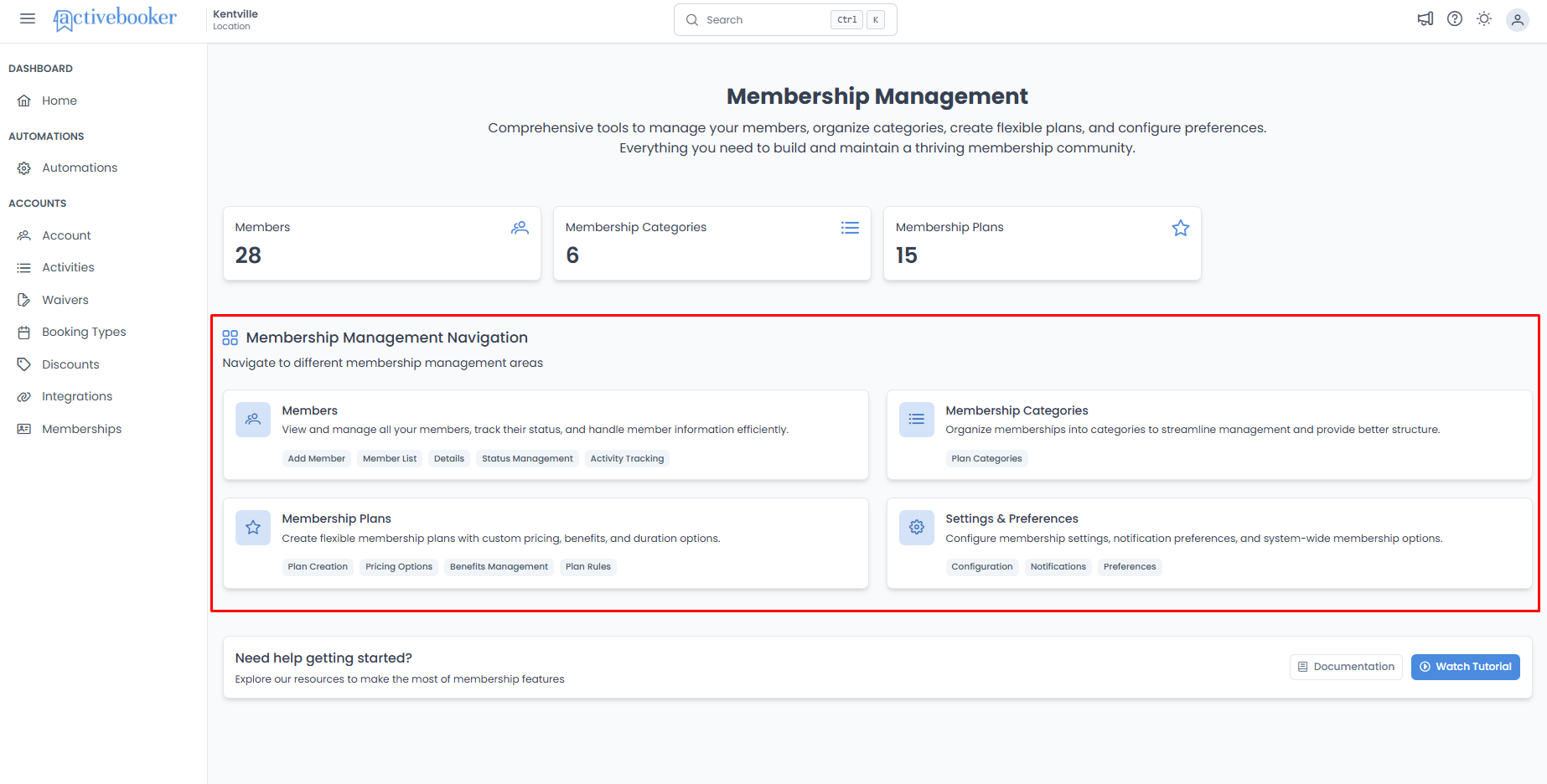
Member Portal Links
The dashboard displays two portal links with Copy Link and Open buttons:
| Link | URL Format |
|---|---|
| Member Portal Sign In Page | https://{domain}/{slug}/auths/sign-in |
| Member Portal Sign Up Page (Plans) | https://{domain}/{slug}/plans |
The slug is automatically generated from your location name with a unique identifier appended for uniqueness.
How the Pieces Work Together
The membership system is built around three connected concepts:
Categories → Plans → Members
Think of it like organizing a menu at a restaurant:
| Concept | What It Does | Example |
|---|---|---|
| Categories | Groups similar membership plans together | "Individual Memberships", "Family Memberships", "Corporate Packages" |
| Plans | Defines what members get and what they pay | "Monthly Basic", "Annual Premium", "Family of 4" |
| Members | The people who subscribe to your plans | John Smith subscribed to "Monthly Basic" |
Categories are organizational containers. They don't have pricing or rules—they simply help you and your customers navigate your membership options.
Plans are where you define the details: pricing, duration, what's included, and any restrictions on booking.
Members are your actual customers who have signed up, chosen a plan, and are actively (or historically) part of your membership community.
Getting Started
If you're setting up memberships for the first time, we recommend this order:
-
Create your categories — Start by thinking about how you want to organize your plans. Most businesses need 2-4 categories.
-
Design your plans — Within each category, create the specific membership options with pricing and benefits.
-
Manage your members — Once plans are available, members can sign up, and you can manage their accounts.
Quick Reference
Use this table to quickly navigate to the right section:
| I want to... | Go to... |
|---|---|
| View membership overview and statistics | Membership Management landing page |
| Add a new member or view member list | Members |
| Create organizational groups for my plans | Categories |
| Set up plans with pricing and durations | Plans |
| Configure system settings and notifications | Settings & Preferences |
Key Features at a Glance
Member Management
- Server-side pagination and search — Efficiently browse through large member lists
- Sortable columns — Organize members by registration date or other fields
- Status indicators — Quickly identify deactivated members with visual tags
- Current plan tracking — See each member's active plan and subscription status
- Activity logs — Track important member actions and changes
Category Organization
- Drag-and-drop reordering — Arrange categories in your preferred display order
- Search and filter — Quickly find specific categories
- Last updated tracking — See when each category was last modified
- Simple management — Add, edit, and delete categories with ease
Plan Configuration
- Flexible pricing — Set one-time or monthly recurring payments
- Duration control — Define plan lengths from 1 to 12 months
- Status management — Activate or deactivate plans as needed
- Drag-and-drop reordering — Control how plans appear to customers
- Visual indicators — Icons and tags show payment type at a glance
- Category organization — Plans are automatically grouped by their categories
Important Things to Know
Member email uniqueness:
Each member must have a unique email address. The email serves as the login credential and cannot be duplicated across members.
One active subscription per member:
Members can only have one active subscription at a time. If a member changes plans, the current subscription closes and a new one begins.
Plan member limits:
Individual plans can have member capacity limits. When a plan reaches its member limit, no additional members can subscribe until space becomes available.
Deactivated members:
Members can be deactivated but not deleted. Deactivated members retain their historical data but cannot access the system or make new bookings.
Real-time updates:
The dashboard statistics update automatically when members join, plans are added, or categories are created.
Search and filtering:
Most lists include search functionality to help you quickly find specific members, categories, or plans.
Sorting capabilities:
Member lists can be sorted by various fields including registration date. Categories and plans can be manually reordered via drag-and-drop.
First-time initialization:
When a new location accesses Memberships for the first time after the feature is enabled, the system automatically initializes membership data with a default limit of 100 members and generates a unique slug for the Member Portal.
Data preservation on feature disable:
Disabling the membership feature via Console does not delete any membership data. Re-enabling the feature restores all previously created members, categories, plans, and settings.
Default member limit:
Each location is initialized with a default limit of 100 members. This can be adjusted in the settings.
Need Help Getting Started?
The membership landing page includes quick links to:
- Documentation — Comprehensive guides for all membership features
- Watch Tutorial — Video walkthrough of the membership system
These resources help you understand how to make the most of the membership features and set up your system effectively.