Help & resources
The Help & Resources panel on your Dashboard Home gives you one-click access to documentation, video tutorials, FAQs, and support — so help is always within reach while you work.
Quick start
- Log in and navigate to the Dashboard Home
- Locate the Help & resources panel on the right side of the page
- Click Documentation, Tutorials, FAQs, or Contact Support for the help you need
What you can do
The Help & Resources panel helps you:
- Learn a feature in depth — Open the full documentation, searchable by keyword, without leaving your workflow
- Watch instead of read — Follow video tutorials for step-by-step walkthroughs of key features
- Get quick answers — Browse FAQs organized by topic for straightforward questions
- Reach a real person — Contact support directly when self-service resources aren't enough
The four resources
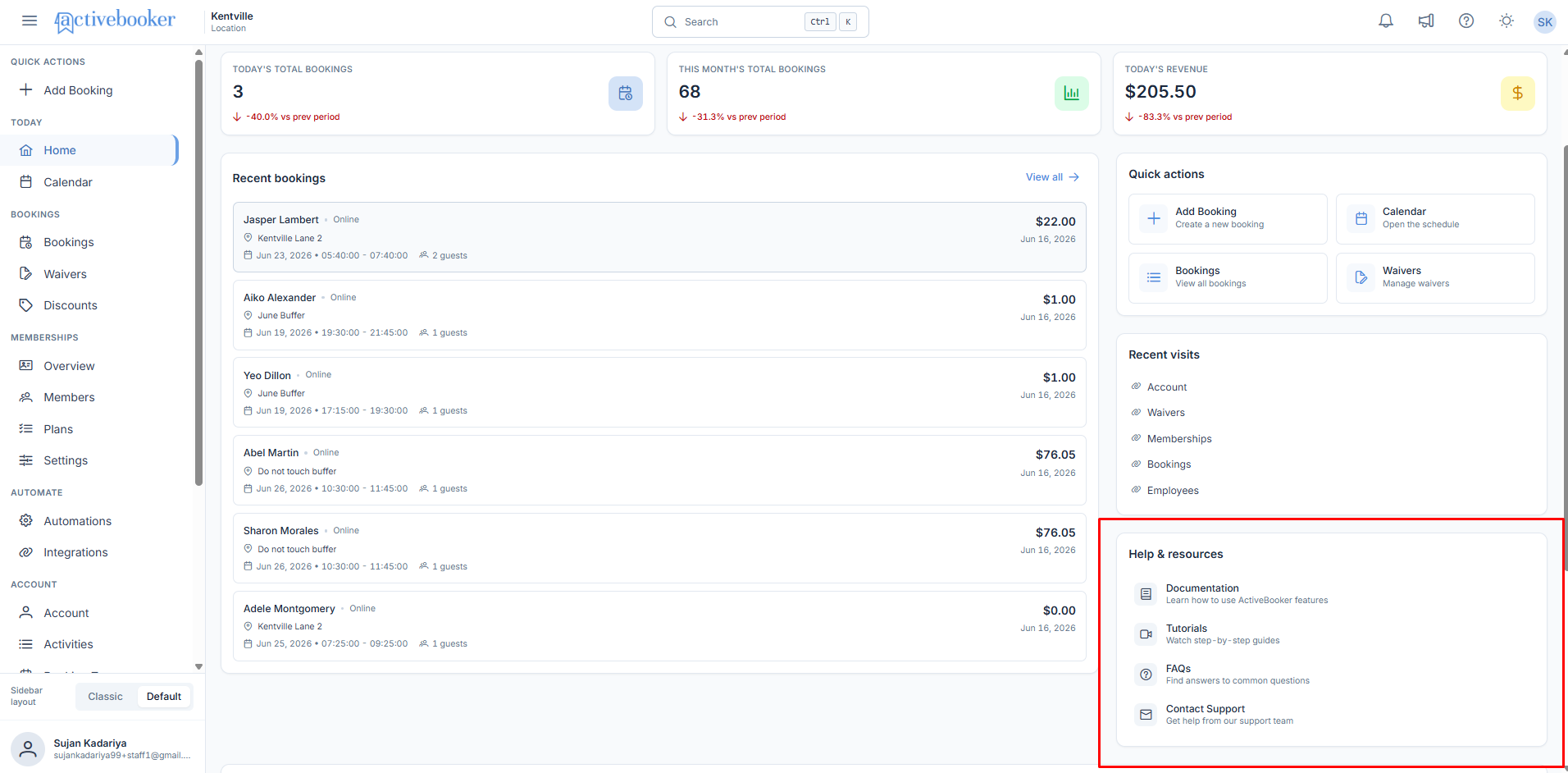
Documentation Detailed guides on every feature, from initial setup to advanced configuration. Click Documentation to open it in a new tab so you can keep it open while working in ActiveBooker. It's fully searchable — if you're brand new, start with the Getting Started journey; otherwise, search is usually the fastest way to find what you need.
Tutorials Video walkthroughs of key features, especially useful the first time you set something up. Click Tutorials to browse by topic or search for something specific — the videos are designed so you can pause and work in ActiveBooker at the same time.
FAQs Quick answers to the most common questions, organized by topic — account setup, billing, features, troubleshooting, and more. Click FAQs for the fastest path to an answer on something straightforward, like "How do I reset my password?"
Contact Support A direct line to the ActiveBooker support team at support@activebooker.com for anything documentation and FAQs don't resolve. Support typically responds within 24 hours.
Getting a faster response from support
To help support resolve your issue faster, include:
- What you were trying to do
- What happened instead
- Any error messages you saw
- Screenshots, if relevant
For urgent issues blocking your work, put URGENT in the subject line so it's prioritized.
In-app help
As you use ActiveBooker, question mark icons appear next to certain fields and features — hover over these for quick explanations. Many form fields also show example text to help you understand what to enter.
Best practices
✓ Start with documentation or FAQs — Most common questions are already answered there
✓ Use tutorials for hands-on setup — Especially helpful when configuring a feature for the first time
✗ Don't skip details when contacting support — A clear description with screenshots gets you a faster resolution than "it's not working"
Related
- Dashboard Home — every widget on the home page, including Help & Resources
- Announcements & Updates — product news and system notices