Recent Visits
The Recent Visits section on your Dashboard Home tracks the pages you've visited most recently and shows them as a list of direct links. It makes it easy to return to a page you were just working on without navigating through the sidebar again.
Quick start
- Log in and navigate to the Dashboard Home
- Locate the Recent visits section on the right side of the page, below the Quick Actions panel
- Click any page link to go directly back to that page
What you can do
The Recent Visits section helps you:
- Return to recent pages quickly — Jump back to any recently visited page in one click instead of navigating through the sidebar
- Resume interrupted work — If you switched pages or logged back in, Recent Visits shows where you left off
- Get a summary of your session activity — See at a glance which parts of the system you have been working in
How it works
As you navigate around ActiveBooker, the system tracks which pages you visit and maintains an ordered history. When you return to the Dashboard Home, the most recently visited pages appear in the Recent Visits list in descending order — the page you visited last appears at the top.
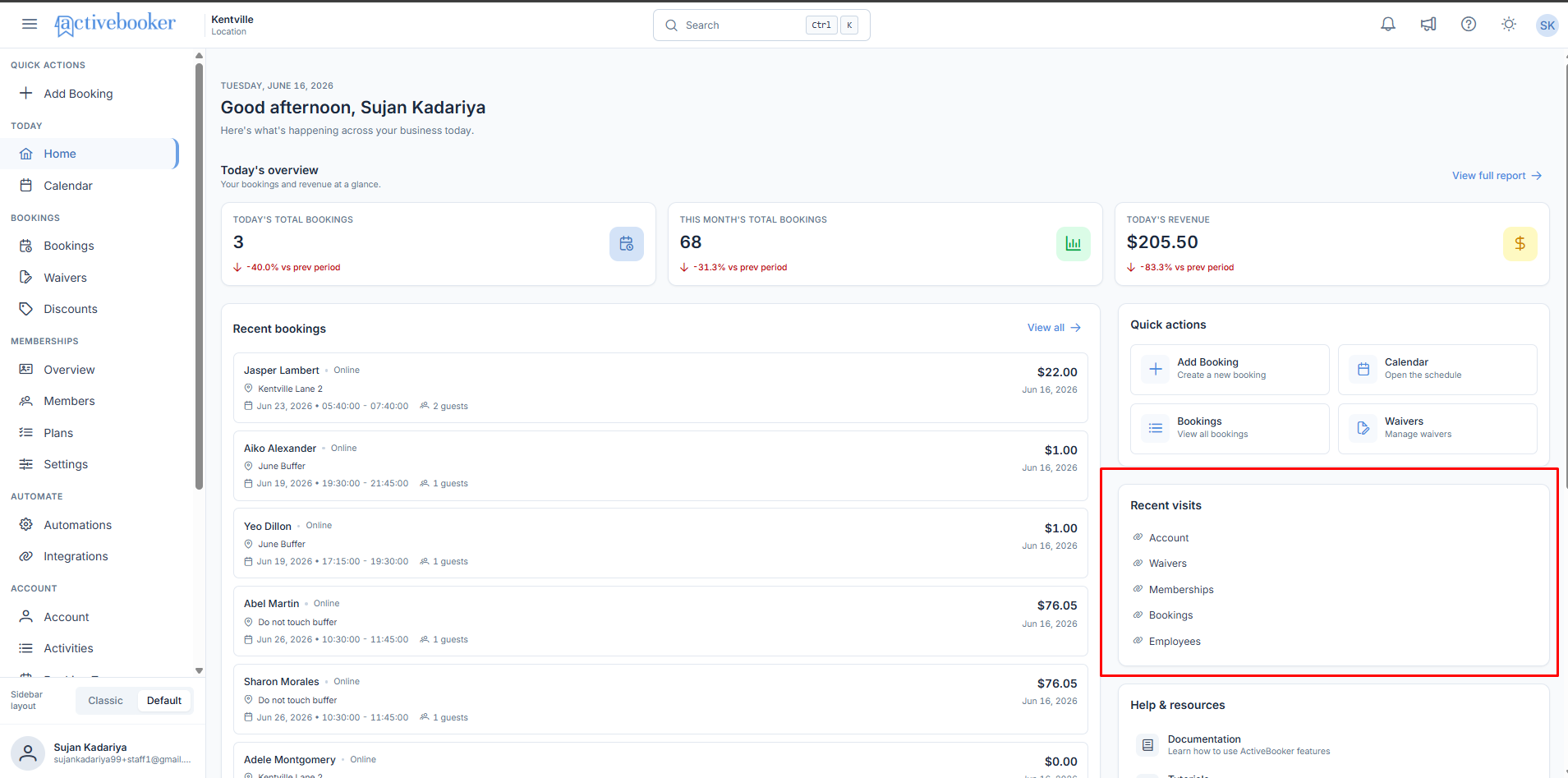
Each entry is a clickable link. Clicking a link navigates you directly to that page.
Recent Visits is designed to be a convenience feature. The list reflects your personal navigation history for the current session and recent past activity. It is not a complete audit log of all pages visited.
What the list shows
The Recent Visits section displays a list of page names, each shown as a link with a small link icon. Examples of pages that may appear include:
- Account
- Waivers
- Memberships
- Bookings
- Employees
- Calendar
- Discounts
- Activities
The list is ordered from most recently visited (top) to least recently visited (bottom).
Business rules
- Pages are listed in descending order by visit time — most recent first
- The list shows your personal navigation history; other users' visits do not appear in your list
- The list updates as you navigate, so it reflects your latest activity each time you return to the Dashboard Home
- If you visit the same page multiple times, it appears once in the list at its most recent position
Edge cases
First login or no navigation history If you have just created your account or have not navigated anywhere yet, the Recent Visits section may be empty or show a limited number of items. The panel layout remains intact.
Very few pages visited The section displays only the pages that have actually been visited. If you have only visited one or two pages, those are the only items shown.