Set up league options
Options are the choices people pick between when they register — Thursday 6:30 PM, Saturday 10:00 AM, Division A. Each option can have its own capacity, so one night fills up without closing the whole league.
Quick start
- Open the league and go to the tab named after your Type Selection Label — League Night, Session, or whatever you called it.
- Click Add Type.
- Enter the Name exactly as customers should see it, and a Capacity.
- Click Save.
Repeat for every option. They appear on the registration page in the order they are listed here.
The options list
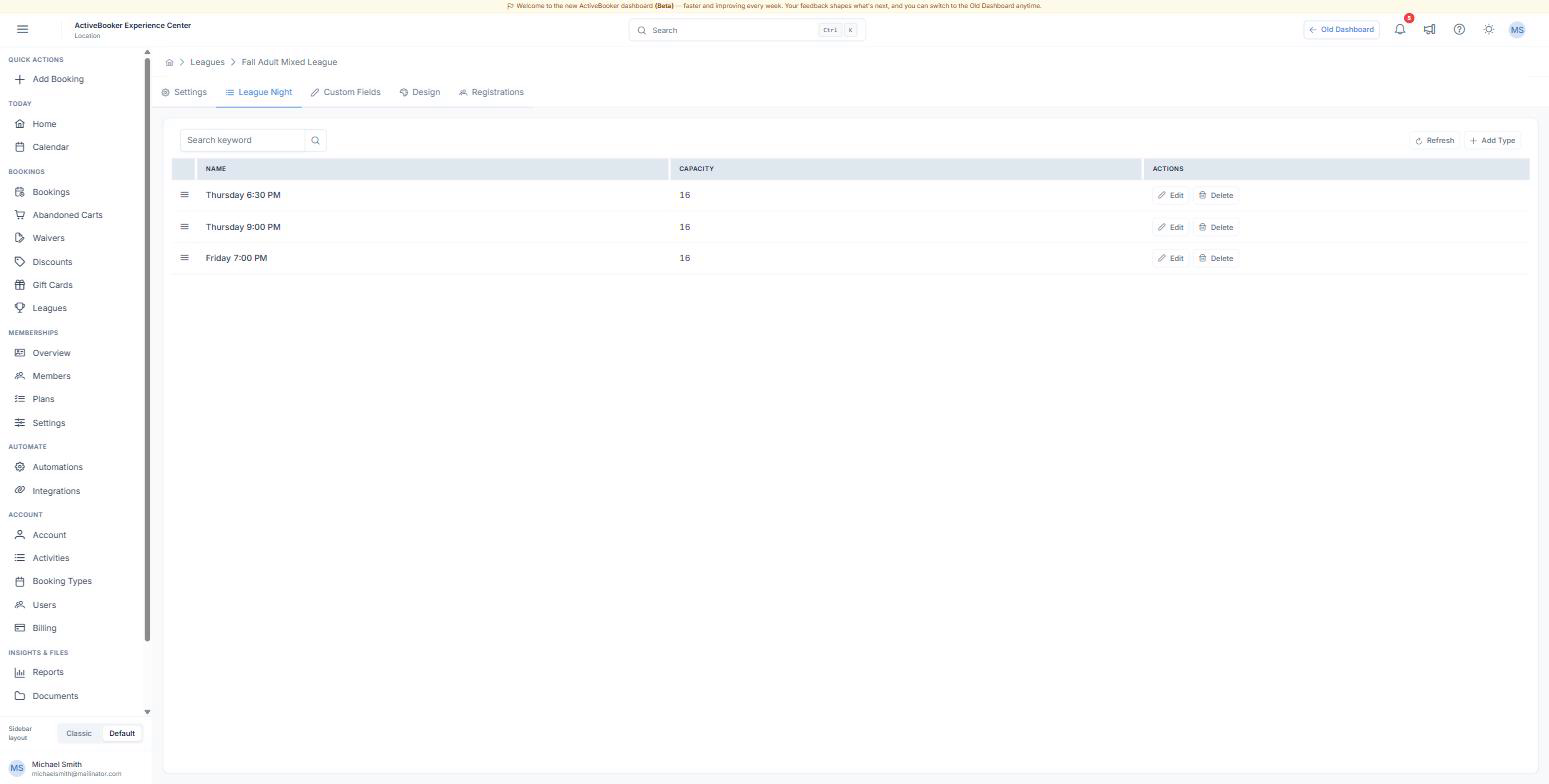
| Column | What it shows |
|---|---|
| (drag handle) | Drag a row to change the order customers see |
| Name | The option as it appears on the registration page |
| Capacity | How many places that option has. Blank means unlimited |
| Actions | Edit and Delete |
Adding an option
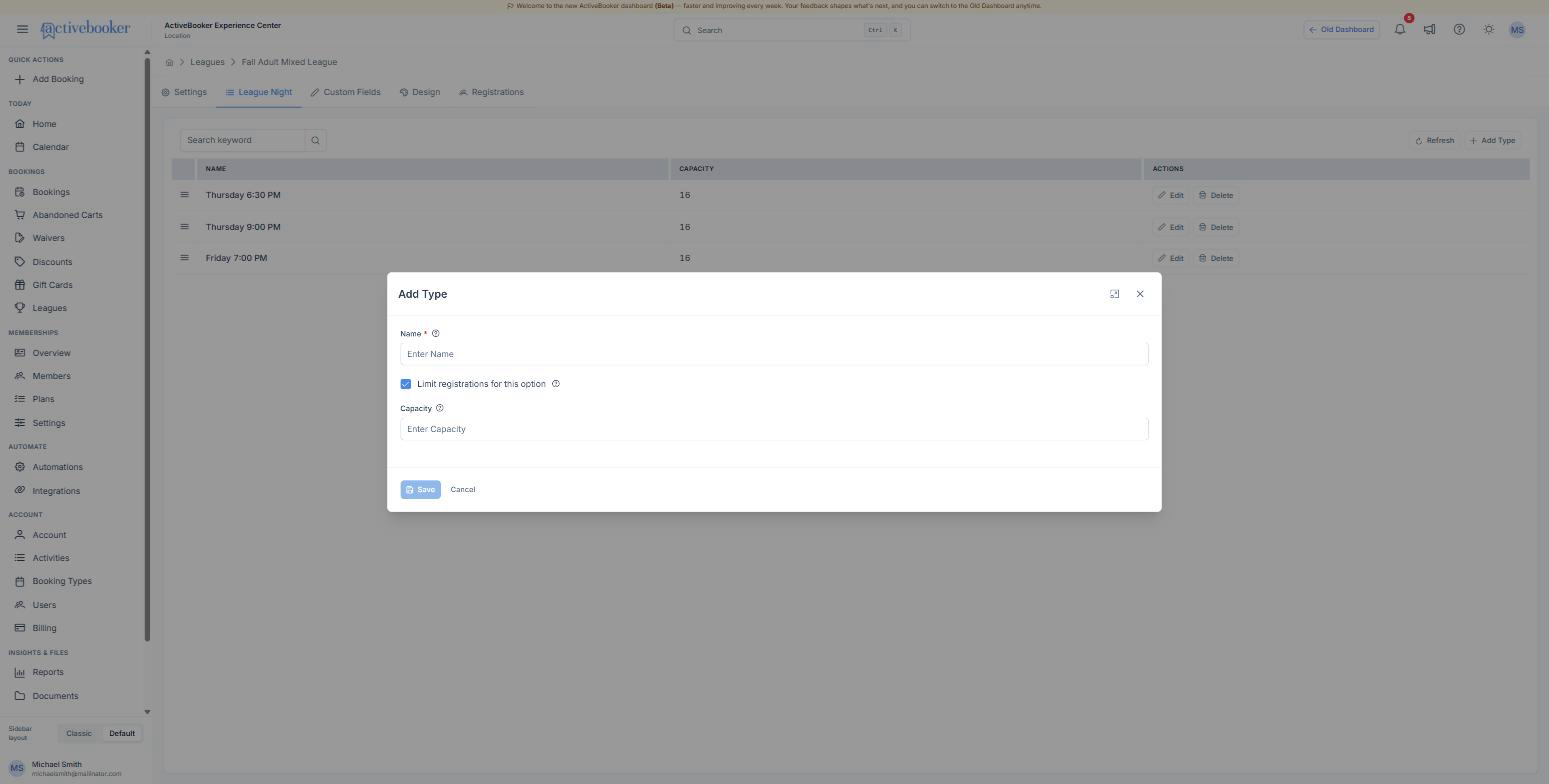
Name Say the thing people need to choose between, not the internal code. "Thursday 6:30 PM" beats "TH1". If the time matters, put it in the name — it is the only description customers get.
Limit registrations for this option On by default. Untick it for an option with no ceiling, such as a waiting list or a practice night where lanes are never the constraint.
Capacity The number of places. Count people, not lanes: if six lanes hold four bowlers each, the capacity is 24.
What customers see as an option fills
The registration page counts down only when the end is in sight, so the numbers mean something:
| Places left | What appears on the option |
|---|---|
| More than 5 | Nothing |
| 2 to 5 | "4 spots left" |
| 1 | "1 spot left" |
| 0 | "Full", and the option cannot be chosen |
When every option is full, the page tells customers registration is closed rather than letting them fill in a form they cannot submit.
Best practices
✓ Put the busiest night first — the order here is the order on the page, and the first option gets the most attention. ✓ Match the capacity to your lanes, then take one team off — it leaves you room to move somebody who registers for the wrong night. ✓ Keep names short — they sit inside a single-line choice on a phone screen.
✗ Don't delete an option people have already registered for. Rename it instead, so existing registrations keep pointing at something that makes sense. ✗ Don't use options for prices. Every option costs the same; the fee lives on the league. For two prices, run two leagues.
Troubleshooting
An option shows as full but there are places free
Why this happens: Cancelled registrations release their place, but a registration that was only partly refunded keeps it — the customer is still on the roster. How to fix it: Open the Registrations tab and count the rows that are not cancelled. If the count is right and the option still looks full, raise the capacity by the difference.
A new option is not on the registration page
Why this happens: The page was open before you added it. How to fix it: Reload the registration page. Nothing needs republishing — the link always serves the current setup.
Related
- Create a league — where the option label and the overall cap are set
- Manage registrations — see how many people picked each option
- What customers see — the choice step on the registration page