Style the registration page
Each league carries its own colour, text size, and corner rounding, so the page your link opens looks like it belongs to you rather than to the software.
Quick start
- Open the league and go to Design.
- Click Edit.
- Pick a Theme Color, set the Font Size and Border Radius, and click Save.
- Open the Registration Link to see the result.
What you can change
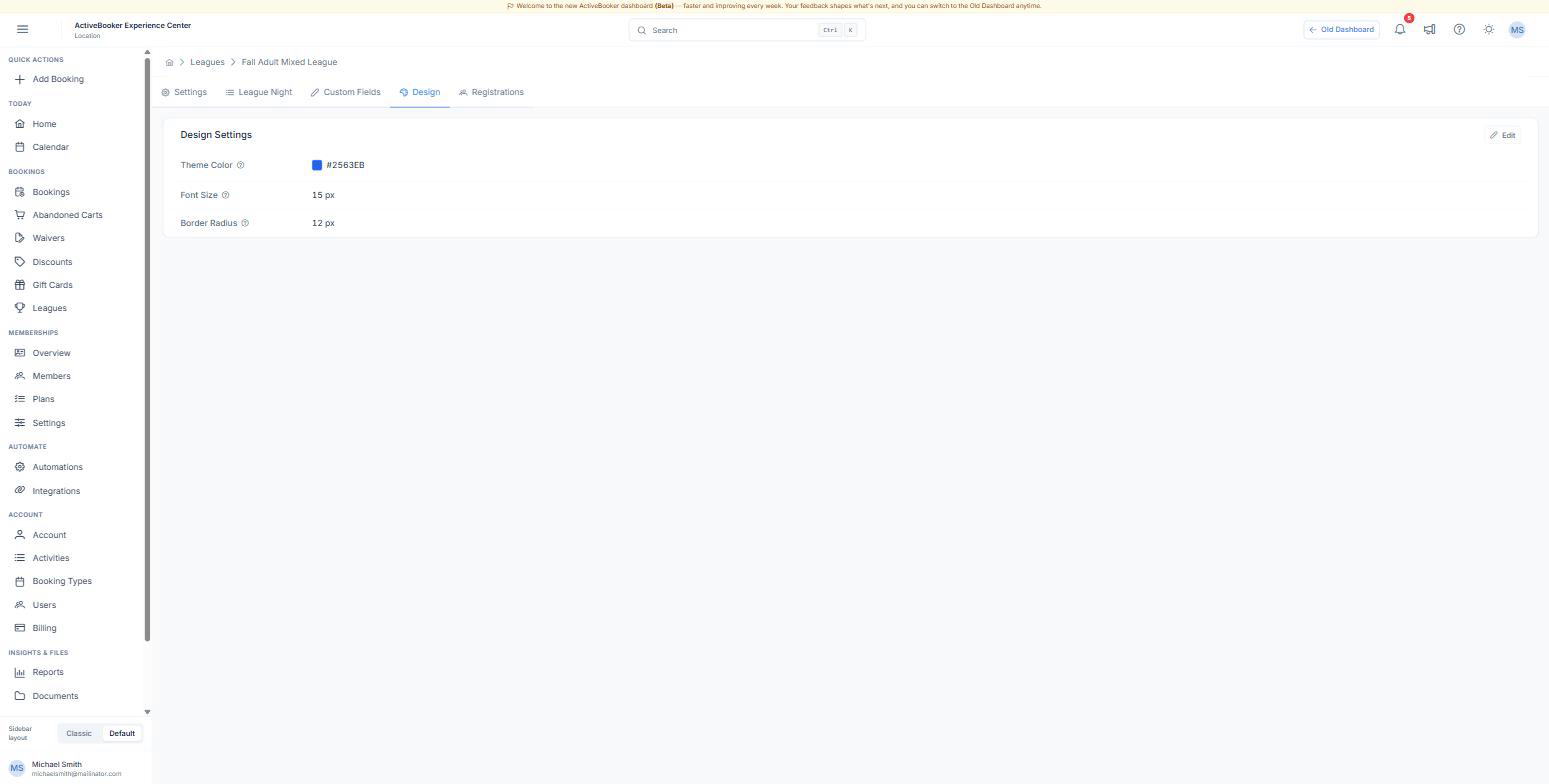
| Setting | What it affects | Default |
|---|---|---|
| Theme Color | The banner behind the league name, the selected option, and the register button | #000000 |
| Font Size | The base text size of the whole page; everything else scales from it | 14 px |
| Border Radius | How rounded the cards, boxes, and buttons are | 8 px |
Setting the colour
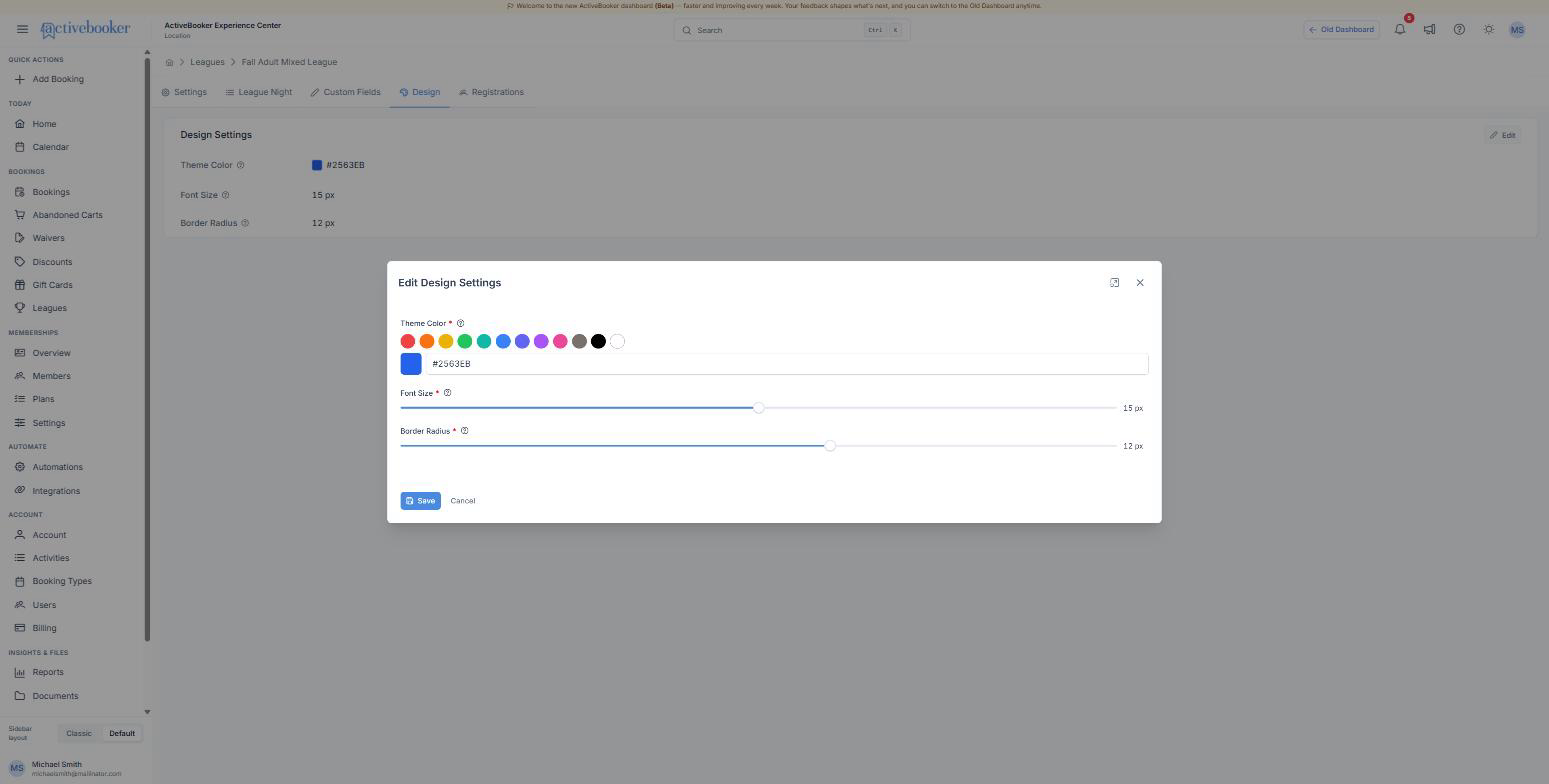
Click one of the swatches for a quick choice, or type a hex value such as #2563EB into the box next to them. The swatch on the left previews what you have typed.
Take the hex from your own brand rather than guessing — most brand guides list it, and it is the difference between a page that looks like yours and one that looks close.
Both sliders show their value on the right as you drag: Font Size between roughly 12 and 20 px, Border Radius from square corners up to fully rounded.
Best practices
✓ Use a dark, saturated colour. White text sits on the theme colour in the banner and on the button, so a pale colour makes both hard to read. ✓ Leave the font size alone unless you have a reason. 14 px suits most audiences; go to 16 px for a seniors' league. ✓ Check the page on a phone. Most league registrations are finished on one.
✗ Don't match the colour to the season. You will forget to change it back, and the league page is usually linked from your site all year.
Troubleshooting
The page still looks black after saving
Why this happens: The browser is showing a cached copy of the page. How to fix it: Reload the registration page. If it still looks wrong, confirm the hex on the Design tab is the one you meant.
The colour looks different on the page than in the picker
Why this happens: The banner darkens the theme colour slightly so white text stays legible. How to fix it: Nothing to fix — pick a colour one shade lighter if you want the banner to match your brand exactly.
Related
- What customers see — the page these settings style
- Create a league — the name and description shown in the banner
- Account preferences — your venue logo, which appears above the banner