Leagues
A league is a season people sign up for once and then come back to every week — a Thursday night handicap league, a Saturday morning youth programme, a winter doubles division. ActiveBooker gives each league its own registration page, collects the fee, and keeps the roster for you.
Leagues live under Leagues in the sidebar, next to Bookings.
How a league is put together
Every league has five parts, and each one is a tab on the league's detail page:
| Tab | What it holds |
|---|---|
| Settings | The name, description, fee and tax, registration window, capacity, and the public registration link |
| Options | The choices people pick between when they register — nights, sessions, divisions. The tab is named after your Type Selection Label |
| Custom Fields | The extra questions you want answered at registration, such as average score or shirt size |
| Design | The colour, text size, and corner rounding of the public registration page |
| Registrations | Everyone who has signed up, with their answers, what they paid, and the cancel and refund actions |
You can set a league up in any order, but this sequence gets you to a shareable link fastest:
- Create the league — name, fee, and dates.
- Add the options people choose between.
- Add your registration questions, if you need any.
- Style the page so it looks like the rest of your brand.
- Copy the Registration Link from Settings and send it out.
The league list
Leagues opens on the list of everything you have set up.
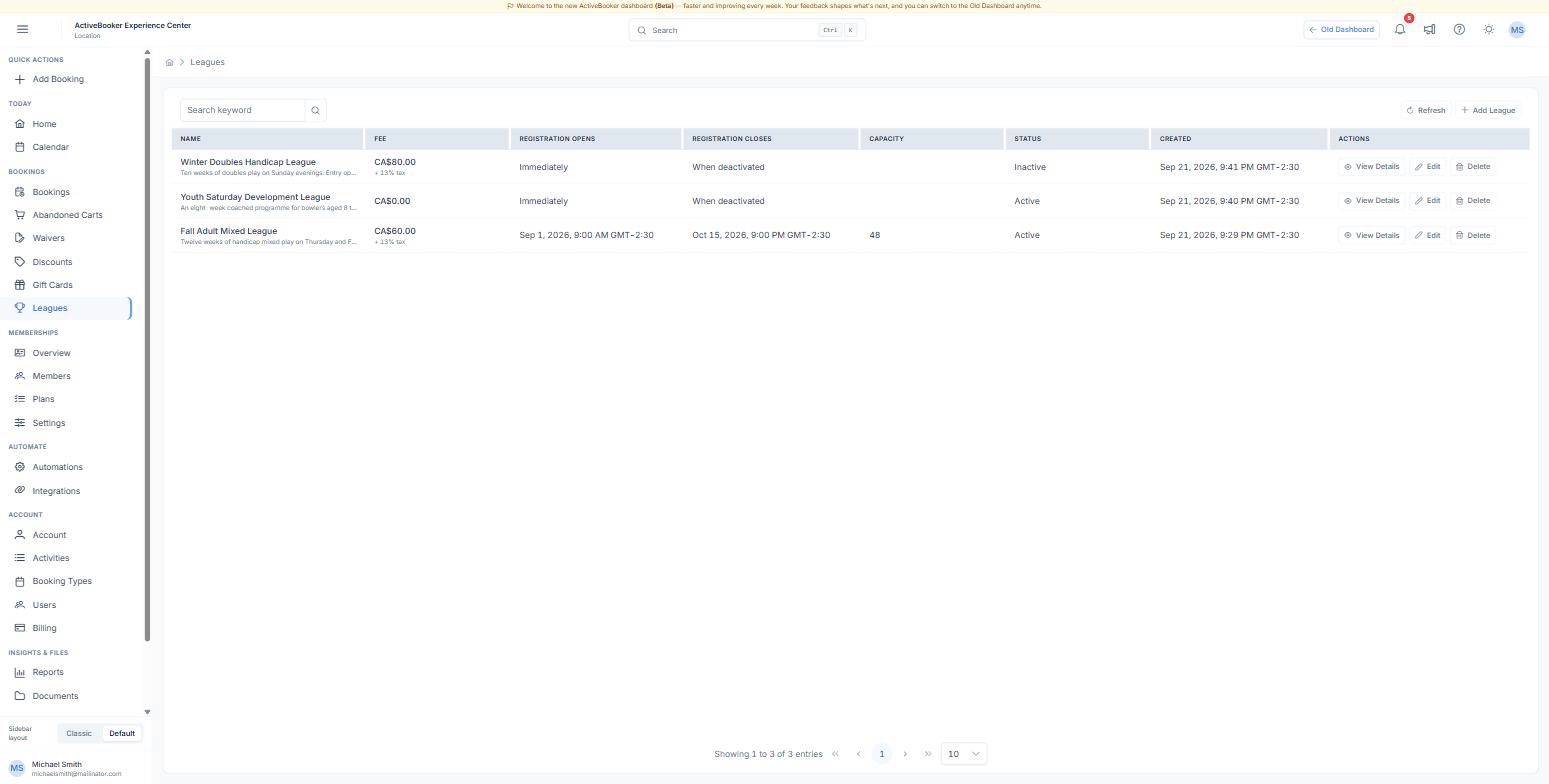
Each row shows the fee and tax, when registration opens and closes, the overall capacity, and whether the league is active. Use View Details to open a league, Edit to change its settings without leaving the list, and the search box to find a league by name.
A league whose Status is Inactive does not accept registrations — its public link shows that registration is closed. This is how you take a league off sale without deleting it, for example while next season's schedule is being confirmed.
Who can do what
Leagues follow the same permissions as the rest of the dashboard: an account that can manage bookings and settings can also create leagues, change fees, and cancel or refund a registration. If a button described in these pages is missing for you, ask whoever manages your users to check your access.
Related
- Create a league — the settings every league needs
- Manage registrations — the roster, the columns in it, and what to do with it
- What customers see — the registration page, the receipt, and the confirmation email
- Memberships — for recurring access rather than a fixed season